Photograph Your Fridge — Get Dinner Ideas (2026)
Photograph your fridge and let AI identify ingredients and suggest recipes you can cook now. See how it works, what it can miss, and how it reduces food waste.
Download Smaklig – now on the App Store and Google Play The Smaklig app is now on the App Store (iPhone) and Google Play (Android). Download it free.
Download SmakligQuick answer:
- One photograph is enough — the AI identifies ingredients in your fridge and suggests recipes you can cook straight away
- Cook with what you have — Swedish households discard on average about 16 kg of edible food per person per year according to the Swedish Environmental Protection Agency (2023)
- Uncertain findings are marked — the image analysis gives a draft and surfaces up to three uncertain ingredients that matter most to the recipe; you can review and correct the whole list
- Adapted to you — the AI is instructed to avoid listed allergens and a warning is shown; always check for yourself. Your goals and equipment also shape the suggestions
- Privacy — the photograph is used for recognition and is not retained longer than necessary; read the privacy policy
If you are wondering what to cook with what you have at home, you do not need to begin with a recipe or a shopping list. Begin with the fridge. A photograph can turn a vague question into something concrete: the app lists what it identifies, you correct the list, and you receive dinner ideas built around ingredients that are actually there. This is especially useful when you have several small leftovers, an open package or vegetables that need using soon.
The photograph is a first draft, not a final answer. Lighting, hidden labels and items behind other items affect what can be seen. That is why the app surfaces up to three uncertain ingredients that matter most to the recipe for confirmation, and you can review and correct the whole list before recipes are created. You also decide what counts as already at home, which allergens the AI should avoid and what kitchen equipment is available. The result is a quicker path from inventory to dinner without pretending that image analysis is flawless.
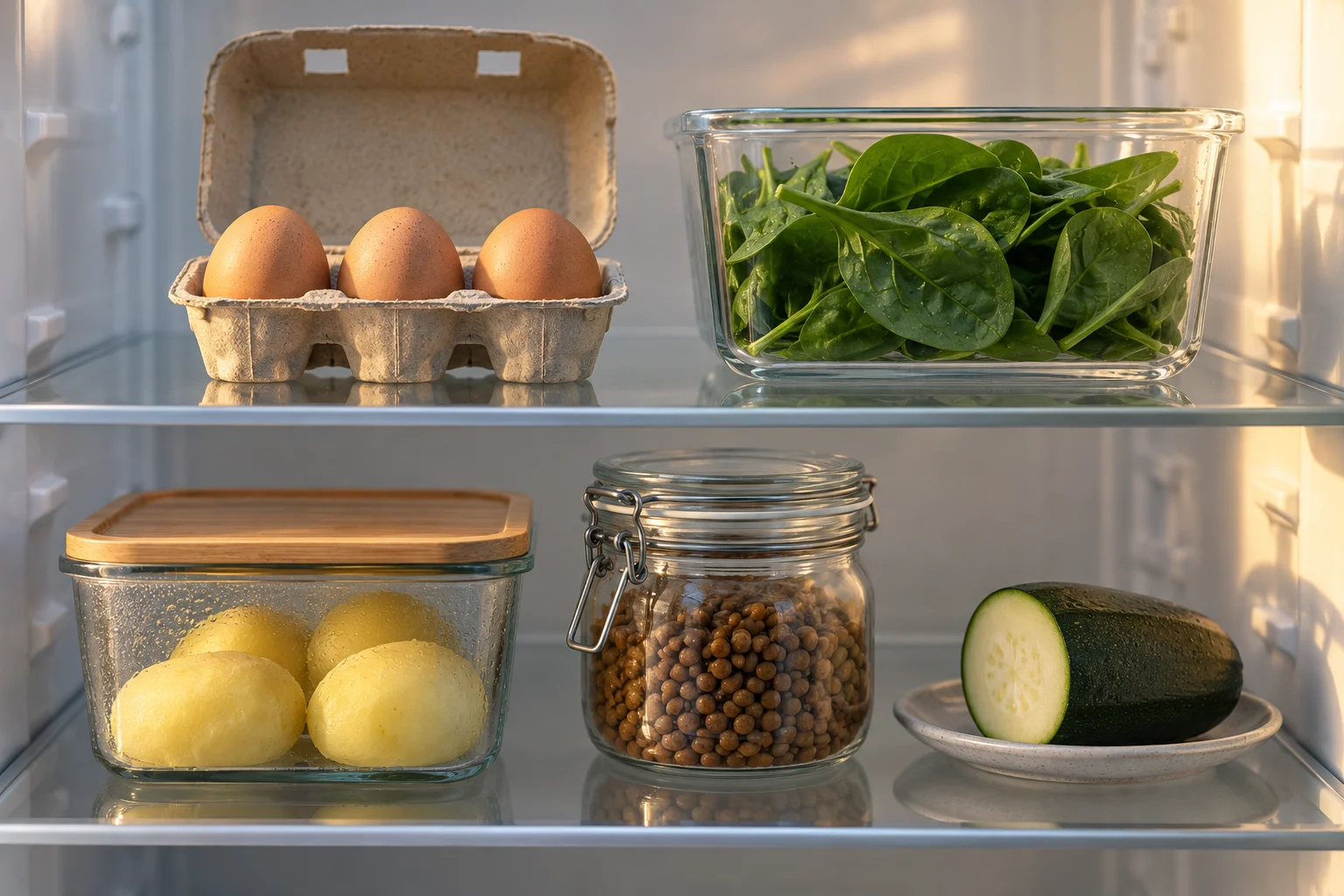
What should I cook with what I have at home?#
Start with the ingredients you already have and let them define the boundaries of dinner. A fridge photograph makes the inventory faster, and you can review and correct the list the suggestions build on. Half a courgette, an open pack of lentils and yesterday's boiled potatoes can become a starting point instead of things you discover only after they have spoiled.
The familiar dinner question is rarely caused by a complete lack of recipes. Decision fatigue is often the real problem. You are trying to remember what is at home, what everyone likes, how much time you have and whether anything needs using tonight. If you search directly for “quick dinner”, you get hundreds of ideas, but most begin with a new shopping list. Inspiration has then failed to solve the inventory problem.
A better first step is to divide the decision into three questions:
- What is at home? The photograph provides a draft you can confirm, correct or leave as is.
- What should be used first? You prioritise open, ripe or short-lived ingredients in the list.
- What is missing for a complete dinner? The suggestion shows the difference between what is at home and what is needed.
Treat the photograph as a visual note. A tomato does not need to be identified by variety and exact weight to help with planning. It is often enough to confirm “tomato” and enter roughly how many you have. The same applies to an unlabelled food container: image analysis cannot know whether it holds a stew, so you describe it yourself or leave it out.
This also keeps the dinner choice flexible. Three eggs and spinach could become an omelette when time is short, while the same ingredients could go into a pie or pasta dish if you have more time and suitable equipment. For more ways to begin with leftovers and dry goods, use the guide to making dinner from pantry ingredients and leftovers. The AI does not decide what you eat; it produces a manageable selection from the ingredients you have confirmed.
How do you photograph the fridge and get suggestions?#
Open the fridge, take a clear photograph, confirm the ingredients and then choose a recipe. The flow takes about 2 minutes when most things fit in one picture. The fridge does not need to be tidy. If door shelves, the vegetable drawer or the back shelf are hidden, take another picture and you can review the combined list before you choose a recipe.
Step 1: Photograph what determines dinner#
Stand where the whole shelf is visible and avoid strong backlighting. Begin with protein, vegetables, dairy, open tins and cooked leftovers. Salt, cooking oil and everyday spices do not have to be arranged for the camera; they can be recorded as staples. If the fridge is deep, move the camera rather than every package. Two angles may reveal more without turning the task into a full inventory.
Photograph the food area only. Check that the frame does not accidentally include people, mail, prescription medication or other private details. The image is used for ingredient recognition, is not retained longer than necessary, and your data can be included in a deletion request. Details about processing are available in Smaklig's privacy policy.
Step 2: Confirm what the AI saw#
The most important part happens after the photograph. Review the list, approve clear findings, correct errors and add anything that was hidden. Uncertain findings are marked rather than presented as certain. An opaque food container, a tin with its label facing away or two similar root vegetables will often need your help. Everyday measures are useful: “half a leek”, “about 2 servings of rice” or “an open tin of chickpeas”.
Step 3: Choose what you want to cook#
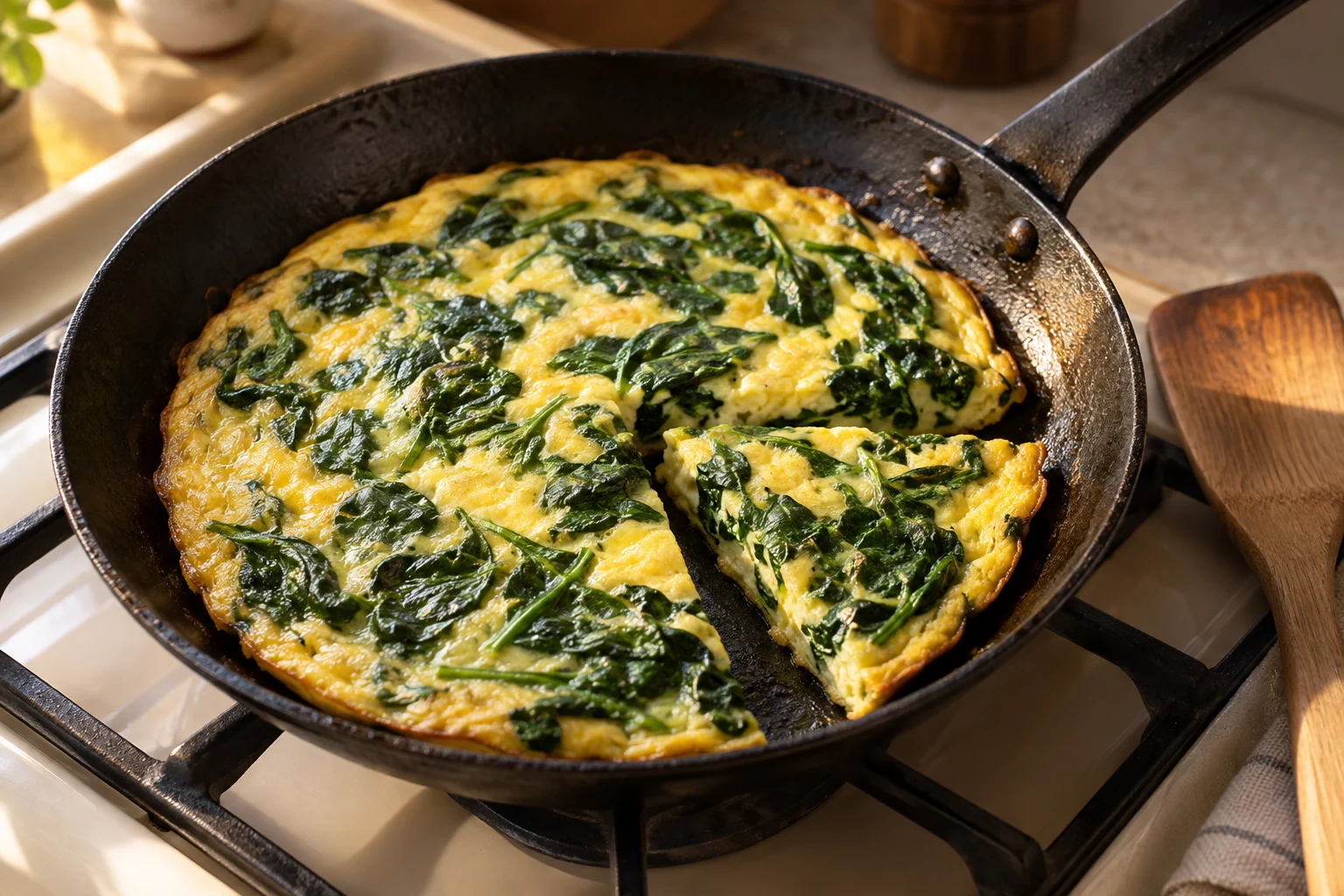
Once the list is accurate, you receive dinner ideas that use different parts of it. One suggestion may use the most perishable ingredients; another may be quickest; a third may work better for packed lunches. You open an idea as a full recipe and cook it straight away. If you want to plan several days or build a shopping list, you use the app's weekly plan and shopping list as separate steps — the photo flow does not fill them in for you.
How accurately can AI identify ingredients?#
AI can identify many common ingredients found in Swedish kitchens, but its accuracy varies with lighting, angle, packaging and how much is hidden. Clear fruit, vegetables and packages are easier than hidden leftovers or similar-looking products. Uncertain findings are marked, and you can correct the list before the ingredients are used for recipe suggestions.
Image analysis is good at recognising patterns, but it cannot see through a carton or determine what is inside a closed container. It may confuse crème fraîche with yoghurt when the label is hidden, or miss a small package behind a larger one. A picture also represents only one moment. It does not automatically reveal how fresh an ingredient is, whether a package has been opened or how much remains.
Three factors have the greatest effect on the result:
- Visibility: the ingredient must appear in the frame and not be fully hidden.
- Distinctive details: shape, colour or readable packaging helps recognition.
- Your review: corrections and additions make the final list useful.
A practical rule is to check identity, quantity and condition separately. The AI may suggest “pepper”, while you can see that it is half a yellow pepper that should be used today. That distinction matters more for dinner than an impressive but unreliable accuracy figure. If something is unclear, enter it manually instead of accepting a guess.
Barcodes and free text complement the photograph. A packaged product can be identified more precisely if you scan its code, while fruit and vegetables without a barcode can be added by name or with Smakblick. Data from the Swedish Food Agency can provide a common reference for ingredient names and nutrition, but the serving quantity still needs confirmation. The AI provides a practical draft; your actual fridge and your review remain the authority.
How does this reduce food waste?#
Reducing food waste starts by making what you already have visible and choosing dinner before buying more. Swedish households discard on average about 16 kg of edible food per person per year according to the Swedish Environmental Protection Agency (2023). The photo flow will not eliminate all waste, but it can turn forgotten ingredients into active choices for tonight's meal.
Order matters. If you choose a recipe first and then shop for exactly that recipe, half a bag of spinach or an open pot of cream may remain in the fridge. If you begin with the fridge instead, those ingredients can shape the recipe. You may still need to buy rice or a tin of tomatoes, but the purchase completes what you have rather than competing with it.
Prioritise with three simple groups#
| Group | Examples | What to do |
|---|---|---|
| Use first | open dairy product, ripe avocado, boiled potatoes | choose a recipe where 1–2 of them are central |
| Keeps longer | carrots, eggs, hard cheese, unopened tins | use as support or save for later |
| Check yourself | undated food container, damaged packaging, unknown leftover | assess smell, appearance, storage and labelling before use |
The final group matters. An app can help you remember an ingredient, but it should not decide whether that ingredient is safe to eat. Follow the label and use your senses where appropriate. If you are unsure how something has been stored, it is better to leave it out than to “rescue” it at any cost.
The financial effect comes from many small decisions. You avoid buying a new courgette when half of one is enough, and you notice two servings of stew before planning another dinner. No fixed saving can be promised for every household because shopping habits and prices differ. Still, the method “cook with what you have first” reduces the risk of duplicate purchases and makes the week's top-up shop clearer. Read more about planning, household finances and the cost of food waste.
Are the recipes adapted to you?#
Yes, suggestions can be adapted to your confirmed ingredient list, goals and kitchen equipment, but allergen support is not a guarantee. The AI is instructed to avoid ingredients you have listed as allergens and a warning is shown — always check the ingredient list yourself. Without an oven, a baked gratin should not be offered as the practical first choice.
Adaptation means that the same fridge can produce different answers. A household cooking 4 servings and planning packed lunches needs a different quantity from one person wanting a quick dinner. If you only have a hob and microwave, the recipe needs to work with those. When you have 20 minutes, a slow-cooked stew is irrelevant even if the ingredients happen to match. Time, servings and equipment can therefore be treated as firm practical constraints, while taste is something you refine.
Allergies require a separate review chain. The allergen list is included as a clear avoidance instruction when food content is generated. Matches may then appear as warnings, but the system is best effort and may both miss a wording and flag something that requires interpretation. Always check the recipe's ingredient list, the product packaging and any information about traces of allergens. Do not substitute an ingredient merely because its name resembles a safe alternative.
This is the difference between adaptation and a promise. Goals, taste and equipment can make suggestions more relevant; they do not make AI infallible. You keep the final say by confirming ingredients, reading the recipe and adjusting anything unsuitable. If a suggestion relies on an ingredient you do not want, remove it and ask for new options from the same confirmed fridge list.
Recipes in the app can be added to the weekly plan, and the weekly plan has its own shopping list where you gather what is missing. You do those steps yourself — the photo flow does not fill them in automatically. Smaklig can then match planned purchases against 2,725 stores across 7 chains, but store data does not change allergen responsibility: always check the actual product before buying and cooking.
How do the fridge, pantry and the rest of the week fit together?#
The fridge handles tonight's short time horizon, while the pantry and weekly plan make the same inventory useful several days ahead. Once you confirm both spaces, a recipe can use fresh ingredients now and save long-life staples for later. What you are missing can be gathered on the weekly plan's shopping list instead of becoming several small, disconnected purchases.
The pantry is photographed in the same way as the fridge: show the shelves, take another angle if something is hidden and confirm the list. Tins, pasta, rice and other dry goods are easy to forget because they do not demand immediate attention. Together with the fridge, they create more combinations. A single pepper looks like a side; with beans, rice and tomatoes from the pantry it can become the base of a complete dinner.
Weekly planning then adds order. Short-lived ingredients are used early, leftovers can be planned for lunch, and durable ingredients can wait. If you regularly get stuck on the dinner decision itself, the guide to what to eat for dinner tonight shows how to reduce the number of choices. To manage the budget at the same time, combine your inventory with these ways to save money on food.
A practical weekly routine could look like this:
- Photograph the fridge and pantry before weekly planning.
- Confirm what is available and mark what you want to use first.
- Choose 1 dinner for tonight and several for the rest of the week.
- Check allergens, serving quantities and equipment in every recipe.
- Review the shopping list and remove anything you already have.
Terms such as meal planning and staples are used in different ways. Smaklig's glossary of meal planning and nutrition gives short definitions when you need them. The working principle is simple: photograph first, human review second, recipe last. Image analysis then supports better decisions instead of acting like a black box that claims to know exactly what is at home.
Do one final sense check before the plan is complete. Is the ingredient really available in the quantity the recipe needs? Does a frozen leftover need defrosting? Has an open package already been set aside for another meal? Those everyday details cannot reliably be read from a picture, but they determine whether the suggestion works. Correcting the list now avoids discovering halfway through cooking that two servings were really only one. Next time, use the same simple routine without relying on yesterday's image: look at the current contents, confirm them again and let the weekly plan reflect what is actually available.
This does not need to become another project. Begin with 1 picture and tonight's dinner. If the list proves useful, add the pantry and the rest of the week next time. The small habit — checking home before buying — matters more than documenting every shelf perfectly.
Smaklig is an AI-based meal-planning tool built for the Swedish market. You can review and correct the ingredients it identifies, and AI-generated recipes should always be checked against ingredient lists and your own allergy information.
Sources
- Swedish Environmental Protection Agency. Food waste in Sweden (2023)
- Swedish Food Agency. Swedish Food Composition Database (CC BY 4.0)
Frequently asked questions
How does the app identify ingredients in the fridge?
The AI analyses the photograph and identifies common ingredients found in Swedish kitchens. Uncertain findings are marked rather than treated as certain: the app surfaces up to three uncertain ingredients that matter most to the recipe for you to confirm, and you can review and correct the whole list before continuing. Accuracy varies with lighting, angle, packaging and hidden items. Take 1–2 extra pictures or correct the list manually when something is missing.
Does everything need to be in the picture?
No. Staples such as salt, oil and spices do not need to appear because you can record them as items you already have. Photograph what determines dinner: protein, vegetables, dairy and open packages. If the shelves are deep, 2–3 angles can make more ingredients visible, and you can add the rest manually.
Are recipes adapted to allergies and goals?
Yes, recipes are adapted to your goals and the equipment you have entered; without an oven, for example, the app should not suggest a baked gratin. The AI is instructed to avoid ingredients you have listed as allergens and a warning is shown — always check the ingredient list yourself. This is best-effort help, not a guarantee.
How does this reduce food waste?
Swedish households discard on average about 16 kg of edible food per person per year according to the Swedish Environmental Protection Agency (2023). Starting with ingredients already at home lets 1 dinner use open or short-lived items before you buy more. That reduces unnecessary purchases and can lower food costs over time.
What happens to the photograph?
The photograph is used to identify ingredients. We do not retain it longer than necessary, and you can request deletion of your data at any time — read more in our privacy policy. Avoid including people, mail, medication or other private details in the 1–3 pictures you take; crop the image to the fridge or pantry where practical.
Does it work for the pantry too?
Yes, the same flow works for the pantry. Take 1 or more pictures, confirm tins, dry goods and unpackaged produce, then add anything that is not visible. Items without a barcode can be entered by name or with Smakblick. Linking the fridge, pantry and weekly plan shows what you can cook now and what is missing later in the week.
Want more meal planning tips?
More guides on food, health and saving money — and a sous-chef that plans your week for you.
Get started
Founder, Smaklig
Writer at Smaklig. We write about food, health, and how to eat better without breaking the bank.
Related articles
July 31, 2026 · 11 min
Meal Prep: Freezer-Friendly Meals for the Week (2026)
Meal prep for the week: choose recipes, scale portions, cool food safely and freeze practical meals. Plan grocery quantities so each ingredient has a clear use.
Read moreApril 20, 2026 · 18 min
Pantry Dinner: 22 Recipes With What You Already Have
Empty fridge? 22 dinners from pantry staples, leftovers and frozen basics — saves 300 SEK/week and cuts food waste 30%.
Read moreApril 12, 2026 · 11 min
The Food Waste Costing You 5,000 SEK/Year (And How to Stop It)
Swedish households waste 8,100 SEK of food per year according to Naturvårdsverket. 10 concrete tips to cut food waste by 50% — save money and the planet.
Read moreReady to plan smarter?
Smaklig creates your weekly menu with AI based on store campaigns. Tailored to your goals and allergies.
Get started free