Scan a barcode and log food in seconds (2026)
Scan a barcode and log food with nutrition data from Coop's catalogue. See how servings, consent, privacy and products without a match are handled.
Download Smaklig – now on the App Store and Google Play The Smaklig app is now on the App Store (iPhone) and Google Play (Android). Download it free.
Download SmakligQuick answer:
- Scan and log quickly — point the camera at the EAN and check nutrition values from Coop's catalogue
- Two nutrition sources — scanned products get up to 8 fields per 100 g or 100 ml from Coop; text mode uses the Swedish Food Agency
- Privacy — no picture is taken or uploaded; the numeric code is sent for lookup and catalogue error logs use a hashed code
- Consent is required — lookup requires sign-in and food-logging consent; health consent is requested before logging and first appears as a separate step
- Clear limits — only gram-based products can be scaled and logged; a missing item can be handled by name or with Smakblick
To scan a barcode and log food, you only need to make a few clear choices. The camera reads the EAN, the app looks up the product and displays the nutrition fields available in Coop's catalogue. You check the result, enter how many grams you ate, choose the meal and confirm. The entry is logged on today's date according to the device's local time. You remain responsible for the product, serving and decision to log it.
The flow is designed for packaged products with a readable EAN-13 or EAN-8. It can show up to eight nutrition fields per 100 g or 100 ml, but not every field exists for every product. Missing values are marked instead of filled with guesses. Only products whose nutrition basis is grams can be scaled to your serving and added to the food diary. That distinction matters when comparing a solid product with one measured by volume.
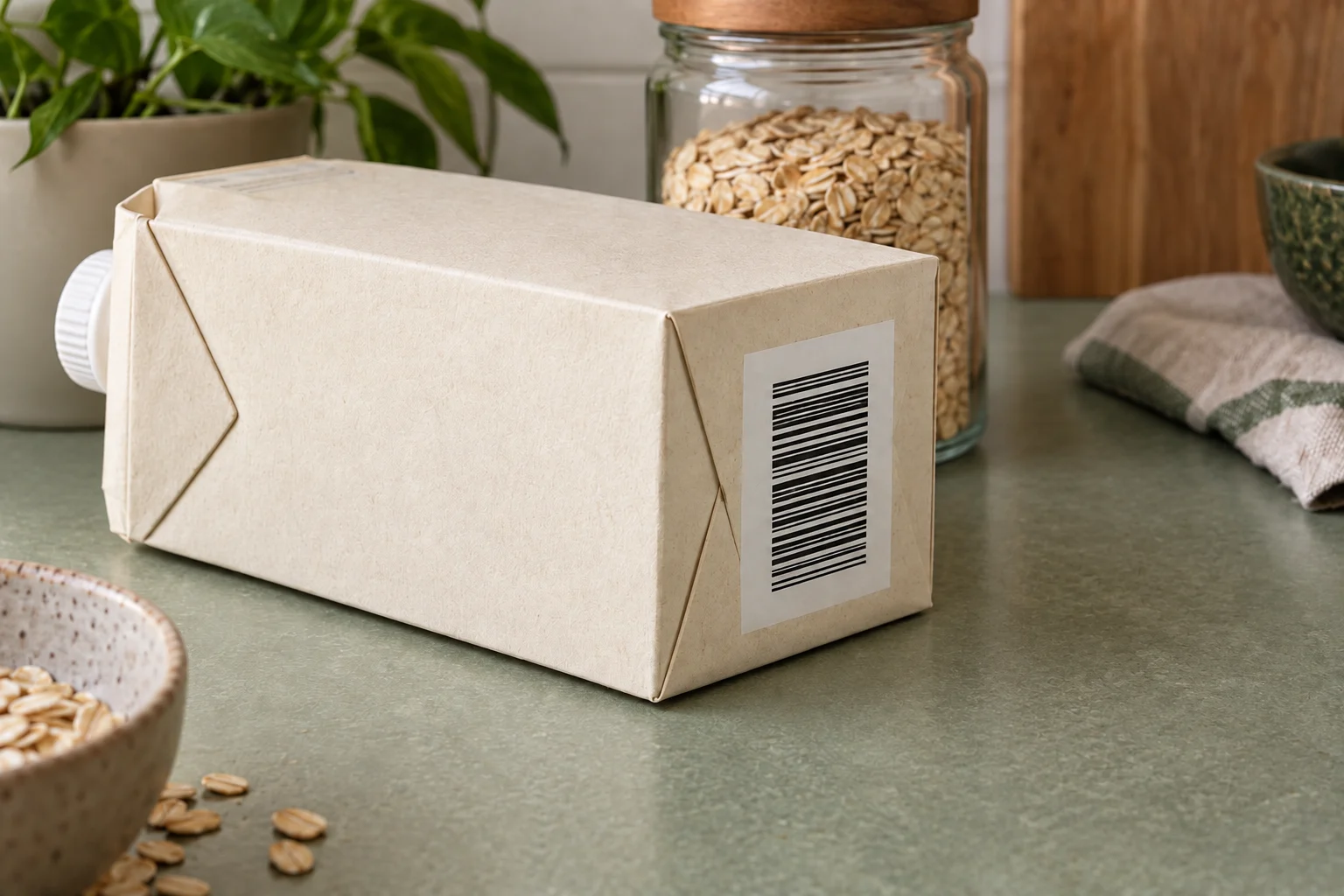
How do I log food by scanning the barcode?#
Sign in, scan the EAN, check the product, then enter the serving and meal before confirming. Lookup requires food-logging consent. Health consent is requested before the meal is logged; the first time, the consents are shown as separate steps. Once the conditions for each stage are met, a gram-based product can move from catalogue match to food diary in about 1 minute.
Step 1: Point the camera at the code#
Fit the whole barcode inside the camera frame and hold the phone steady until the digits have been read. Everyday consumer packages commonly use EAN-13, while smaller packages may use EAN-8. GS1 Sweden explains the EAN-13 standard and how the code identifies a trade item. The code identifies the product; it does not state how large a serving you ate.
The camera needs permission to read the code. The barcode flow does not take a still picture. If the code is damaged or catches glare, move the phone, improve the light or enter the product name in text mode. For items where neither code nor name is enough, Smakblick is available as a separate image flow.
Step 2: Check the match and nutrition basis#
When a product is found, the app shows its name, any catalogue product image and the available nutrition values. Check that the name and package match the item in front of you. Two sizes or variants may look almost identical while carrying different EANs. Also check whether values are given per 100 g or per 100 ml; only the gram basis is loggable in this flow.
A catalogue match is not a reason to skip the label. Recipes, salt content and composition may change before an external catalogue entry is updated. The package is therefore the final authority for the product you are actually eating. This matters especially for allergies: always check the package.
Step 3: Enter the serving and meal#
Enter the amount in grams and choose breakfast, lunch, dinner or snack. The date is set automatically to today's date according to the device's local time. The app scales the available per-100-g values to the serving and shows what will be logged. If a nutrition field is absent from the catalogue, it remains marked as missing; another field is not substituted for it.
Before saving the entry, the server checks the product and technical limits again. A product that was just displayed may therefore still be stopped if the cache can no longer support the same product. This is a deliberate reassessment, not a promise that every first match can always be logged.
Where do the nutrition values come from?#
Scanned products use Coop's product catalogue, while name searches use the Swedish Food Composition Database. The sources have different roles and are not mixed. Coop provides product-specific catalogue values for an EAN; the Swedish Food Agency provides a generic estimate for the food selected in text mode.
For a scanned product, the catalogue entry may contain energy, protein, carbohydrate, fat, fibre, salt, sugars and saturated fat. That is up to 8 fields, and each one may be missing. Values are stated per 100 g or per 100 ml. The data may already be cached or fetched on demand. The clearest description of the provenance is the product's declared nutrition values according to Coop's catalogue.
| Question | Scanned barcode | Text mode |
|---|---|---|
| Identification | EAN-13 or EAN-8 | Food name |
| Nutrition source | Coop's product catalogue | Swedish Food Composition Database |
| Result type | Specific catalogue product | Generic estimate |
| Basis | 100 g or 100 ml | Gram-based food |
| Number of displayed options | One verified product match | Up to 5 candidates |
| Logging | Only when the basis is grams | After selecting a candidate and gram serving |
The Swedish Food Composition Database is published by the Swedish Food Agency and is used here under CC BY 4.0. It suits foods such as “banana”, “boiled potato” and other generic entries. It must not be described as the source for a scanned branded product. Equally, Coop's catalogue must not be credited for generic text-mode matches.
The source difference affects how you read the result. An EAN match can distinguish two product variants that text mode would group under the same generic name. If the catalogue entry lacks fibre or salt, however, that does not mean the amount is zero. The field is unknown in this dataset and is therefore marked as missing. Compare the fields that are present with the package instead of filling the gap yourself.
The Nordic Nutrition Recommendations 2023 provide an overall scientific framework for energy and nutrients, but they do not identify your individual package or decide your serving. Recommendations, product data and the amount you actually ate are three different things. The food log brings the last two together; it does not replace individual medical advice.
Does the app scan a picture? How your data is handled#
No still picture is taken in the barcode flow, but the decoded EAN must be sent to the server for lookup and may be stored temporarily on the device for recovery. This is more accurate than saying that nothing leaves the phone. Image analysis is used only if you choose Smakblick, which is a separate flow.
Smaklig does not take or upload a picture in the barcode flow; the decoded numeric code is sent for lookup. Catalogue error logs use a hashed code.
Temporary local storage helps the app recover an interrupted attempt. It is not the same as catalogue error logging. Hashing applies to the code used there to group technical errors without writing the numeric code itself to that error log. The privacy description must therefore distinguish the camera image, server lookup, local recovery and error logging.
| Data item | What happens in the barcode flow |
|---|---|
| Camera image | No still picture is taken or uploaded |
| Decoded numeric code | Sent for product lookup |
| Local recovery | The code may be stored temporarily for an active attempt |
| Catalogue error log | Uses a hashed code |
| Product image | May be displayed from Coop's catalogue after a match |
This also differs clearly from photographing your fridge for dinner ideas. In that flow, you actively choose to take a picture for ingredient recognition. During barcode reading, the camera acts as a code reader. Choose the flow that matches the task: EAN for a packaged product, a name for generic food and Smakblick when image analysis is actually needed.
What happens when a product is not found or cannot be logged?#
A missing EAN leads to name search or Smakblick, while a found product can be stopped when it lacks a gram basis, required consent or falls outside technical limits. The server also reassesses the product during logging. A displayed result and a saved food-log entry are therefore two separate stages.
The most common outcomes are:
- No catalogue match: enter the name and choose a generic Swedish Food Agency match, or use Smakblick.
- Nutrition per 100 ml: values can be displayed, but they cannot yet be converted to a gram serving and logged.
- Missing nutrition fields: they are marked as missing. They are not filled with an estimated number.
- Consent is missing: for lookup, sign in and approve food-logging consent. Health consent is also required before logging; the first time, the consents are shown as separate steps.
- A technical limit is crossed: the serving, derived values or aggregate for the same date and meal is stopped.
- NOT_RESOLVABLE on reassessment: the product was shown earlier but cannot be supported by the server's cache-only check when the entry is saved.
The limits are technical database and integrity checks. They should not be interpreted as dietary advice or an assessment of what you should eat. In particular, the aggregate check applies to the same date and meal, not a daily total. If you chose the wrong meal or amount, correct the details instead of trying to split the entry to bypass the check.
The consents are also real conditions, not just information on introduction screens. If you are not signed in or decline or later withdraw food-logging consent, lookup should not continue. Health consent is checked separately before the entry is written to the food log; if it is missing, logging stops after lookup. You can still read this guide and decide how to manage your food.
The barcode-to-log flow neither performs nor displays an allergen check. It does not show an ingredient list or allergen fields, even if the catalogue system holds other product text in another context. Always check the package. Allergen warnings in recipe features are separate and must not be read as a safety statement for a scanned product.
Can I log food without a barcode?#
Yes. Text mode lets you enter a food name and choose from up to 5 generic matches in the Swedish Food Composition Database. It suits ingredients, home cooking and products whose code cannot be read. You select the correct match and enter the serving in grams before the entry is saved.
Make the query as specific as your information allows. “Rice, cooked” is more useful than “rice” when you weighed the prepared food. Do not choose a brand-like result and assume it matches the package; text mode is a generic estimate. If you need to identify visible contents rather than a name, Smakblick may be a better next step.
Text and barcode therefore solve different problems. The barcode attempts to find a defined catalogue product. Text mode attempts to find a generic food with a useful nutrition profile. Both require you to check identity and serving size. Neither can determine how much you ate without your input.
For home cooking, logging the relevant components with their actual gram weights may be more representative than selecting a broad name for the whole dish. But do not make logging so detailed that it becomes a barrier. A consistent method you understand is more useful than many precise decimal places from an uncertain match.
Read the candidate names before choosing. The list of up to 5 options may describe raw, boiled or otherwise prepared food, and that difference affects which entry best represents the serving you weighed. The app does not choose for you. If no option fits, change the search phrase or use another flow instead of knowingly saving the wrong match.
How does barcode logging fit your goals?#
Barcode logging shows how the serving you enter affects the selected meal and today's overview; it does not change your plan automatically. Nutrition values are information for follow-up. Your goals, your serving estimate and your other meals still need to be interpreted together.
The serving connects label values per 100 g with what appears in the food log. If you ate 1 part of a package, you still need the weight of that part in grams. The app scales only the fields that are present and displays them in the selected meal. The glossary explains TDEE and macros; to understand the energy estimate behind a daily target, continue with the in-depth guide.
One product cannot tell you whether an entire day fits a particular goal. The food log helps you see context, but it should not create guilt around a meal or frame activity as payment for food. For weight goals, long-term structure matters more than optimising every single entry. How to choose a calorie deficit explains safety boundaries and individual variation.
Protein, carbohydrate and fat also need context. To explore protein needs, use the guide to how much protein you need. Treat declared values as measurement data, not as a moral label for the product. Missing catalogue fields also mean that a total may be incomplete.
Planning future meals is a separate feature. Smaklig can match planned purchases against 2,725 stores across 7 chains, but a barcode scan does not automatically add an item to the weekly plan or shopping list. You choose every step. The division of responsibility is straightforward: the catalogue describes the product, you enter serving and meal, and the food log shows the recorded result.
If you use the diary for follow-up, look at the pattern across several logged meals. One catalogue entry may have missing fields, and an estimated gram serving may differ from the amount actually eaten. The log is easier to understand when you use the same method over time and keep uncertainty visible, not when every value is treated as an exact medical measurement.
A practical check before every log entry is therefore:
- does the EAN match the package?
- are the nutrition values per 100 g, and is the product loggable?
- is the gram serving the amount you actually ate?
- is the correct meal selected?
- is any nutrition field missing in a way that changes how you read the total?
- have you checked the package for ingredients and allergens?
Once those questions are answered, the barcode becomes a quick input method rather than a black box. You get traceable source provenance, visible limits and control over what is added to your food diary.
Smaklig is an AI-based meal-planning tool for the Swedish market. The barcode log uses product data from Coop's catalogue, while text mode uses the Swedish Food Composition Database.
Sources
- Livsmedelsverket. Swedish Food Composition Database — search nutrition
- Nordic Council of Ministers (NNR). Nordic Nutrition Recommendations 2023 — Energy
- GS1 Sweden. EAN-13 (barcode standard)
- PubMed (J Acad Nutr Diet). Smartphone diet-tracking apps: comparative validity of nutrient/energy estimates (review)
Frequently asked questions
How do I log food by scanning the barcode?
Sign in, point the camera at an EAN-13 or EAN-8 code and check the nutrition values from Coop's catalogue. Enter a serving in grams, choose the meal and confirm; the entry automatically receives today's date according to the device. Lookup requires sign-in and food-logging consent. Health consent is requested before the meal is logged; the first time, the consents are shown as separate steps.
Where do the nutrition values come from?
Scanned products use Coop's product catalogue: the product's declared nutrition values according to Coop's catalogue, with up to 8 fields per 100 g or 100 ml. Missing fields are marked. Text mode instead uses the Swedish Food Composition Database (CC BY 4.0) and provides a generic estimate. The package is always the final authority.
Does the app take a picture of me or my kitchen while scanning?
No. Smaklig does not take or upload a picture in the barcode flow; the decoded numeric code is sent for lookup. Catalogue error logs use a hashed code. EAN-13 contains 13 digits, but the camera view is not saved as a still image. The only picture that may appear in the result is Coop's catalogue product image.
What happens if the product is not found or cannot be logged?
If the code is missing from the catalogue, the app suggests name search or Smakblick. A volume product based on 100 ml can be shown but cannot yet be logged as grams. Logging also stops when the serving, derived values or total for the same date and meal crosses technical limits. A previously shown product can later become NOT_RESOLVABLE.
Can I log food without a barcode?
Yes. Enter the food's name in text mode and choose from up to 5 generic matches in the Swedish Food Composition Database. Then set a serving in grams and choose the meal; the entry automatically receives today's date according to the device. This works for unpackaged food and home cooking, but the result is a generic estimate rather than the declaration for a particular branded product.
Does the app warn about allergens in scanned products?
No. The barcode-to-log flow neither performs nor displays an allergen check; it shows nutrition values, not ingredients or allergens. Always check the package, even when the same product name has matched before. Allergen handling in recipe generation is a separate feature and does not change the barcode log's responsibility or your own check.
Want more meal planning tips?
More guides on food, health and saving money — and a sous-chef that plans your week for you.
Get started
Founder, Smaklig
Writer at Smaklig. We write about food, health, and how to eat better without breaking the bank.
Related articles
October 22, 2026 · 15 min
Calorie Chart for Foods: Calories in Eggs, Bread and More
Calorie chart with kcal per 100 g and per portion for 59 common foods, from eggs and pizza to rice, cheese and beer. All values from the Swedish Food Agency.
Read moreSeptember 4, 2026 · 9 min
Count Calories from a Photo — How Close Is AI? (2026)
Count calories from a photo and learn how AI estimates calories and macros, where the values come from, how the image is handled and what you should check.
Read moreAugust 1, 2026 · 14 min
MyFitnessPal vs Lifesum: Free & Premium Features (2026)
MyFitnessPal or Lifesum? Compare Free and Premium features, pricing, food logging and Smaklig to choose the right everyday tracker for your goals today.
Read moreReady to plan smarter?
Smaklig creates your weekly menu with AI based on store campaigns. Tailored to your goals and allergies.
Get started free