How Does AI Recognize Food in Photos? A Practical Guide
AI food recognition interprets photos; barcodes identify catalogue products. Learn how Smaklig handles both, what can go wrong and what you can check yourself.
Download Smaklig – now on the App Store and Google Play The Smaklig app is now on the App Store (iPhone) and Google Play (Android). Download it free.
Download SmakligShort answer:
- A photo gives a suggestion — Google Gemini interprets visible food; identification can be wrong.
- A barcode gives a lookup — the EAN matches exactly in Coop's catalogue or is not found. No AI recognition is involved.
- No published Smaklig accuracy figure — the app also displays no confidence score.
- Controls differ — fridge: correct the ingredient list and confirm uncertain findings; meal: portion changes only, with no uncertainty markers.
- You choose the next step — review before ingredients are used for recipes or a meal is saved.
How does AI food recognition work, and what does it actually mean when an app identifies an ingredient? Smaklig uses image analysis to suggest what is visible in your fridge or on your plate. That is an interpretation of the image. Scanning a barcode does something different: the app looks up a specific product code in a catalogue.
The distinction changes how you should read the result. A plausible name can still be an image-based guess. A catalogue match is more specific, but depends on the code being present in the catalogue. This guide explains identification and the controls available in each mode. For the numbers that come after identification, see how accurate calorie counting from photos is.
How does AI recognize food in a photo?#
Smaklig uses Google Gemini to analyze an image and suggest ingredients or dishes from visible details. This is probabilistic recognition: the model makes an assessment that can be wrong. There is no published figure specific to Smaklig showing what proportion of food is identified correctly.
Shape, colour, texture and surroundings can offer clues. A whole carrot has different visible features from a spoonful of purée. On a plate, the model may suggest separate components or a name for the whole dish. A plausible dish name therefore does not mean every ingredient has been found.
Google's documentation on Gemini image understanding describes capabilities including image classification and captioning. This supports the type of task the technology can perform; it is not a test result for Smaklig's food images.
What does recognition research tell us?#
A systematic review by Kaur, Kumar and Gupta examines methods, image datasets and evaluation in food classification. It provides background on the research field, but does not validate Smaklig or its current image workflow (Reviews in Endocrine and Metabolic Disorders, 2023).
For an accuracy figure to be meaningful, you need to know what counts as correct. Is “pasta” enough, or must the whole dish's contents be identified? Are hidden ingredients included? Were the images taken by users in everyday lighting? Without that context, a percentage would suggest more precision than the evidence supports. That is why we describe the limits qualitatively.
How do barcodes and photos differ when identifying food?#
Barcode scanning is a deterministic EAN lookup in Coop's product catalogue: an exact code match or no match. Photos use probabilistic image analysis with Google Gemini. The barcode workflow does not use AI to guess which product you are holding.
EAN is the numeric code read from the barcode. GS1 Sweden describes EAN-13 and EAN-8 as barcodes for product identification. Smaklig uses the scanned code to find the catalogue product. It does not choose similar packaging based on its colour or shape.
| Question | Barcode | Photo |
|---|---|---|
| What is the input? | A scanned EAN code | The image's visible contents |
| How is food identified? | Exact lookup in Coop's catalogue | AI assessment with Google Gemini |
| What is the result? | A product match or not found | Suggested ingredients or dishes |
| What limits the method? | Code readability and catalogue coverage | Lighting, angle, hidden items and visual similarities |
| What do you check? | Whether the match corresponds to the packaging | Whether the suggestion corresponds to the visible food |
“Exact” refers to the link between code and catalogue product. It does not mean every product is listed or every detail is current. Two similar packages can be different product variants. Read the product name and compare it with the packaging even after a match.
If a code is not found, the lookup does not silently switch to an AI guess. You can choose another workflow yourself. The guide to scanning barcodes and logging food explains missing products and the next steps.
What affects how well AI identifies food?#
Lighting, camera angle, hidden items and similar appearances affect the input available for food recognition. Common ingredients are easier than unusual or mixed dishes. This is a qualitative description of difficulty, not a measured success rate for Smaklig.
Visible details help; hidden details are missing#
Even lighting and a clear angle make more details visible. A sharp photo of a closed, opaque food container still shows only the container. More pixels cannot reveal contents that are absent from the image.
On a fridge shelf, a large package may hide a smaller one. Fridge mode lets you add more angles and correct the ingredient list. On a plate, sauce can cover parts of the food. Keep separate components visible when taking the photo, but do not expect the image to reveal a recipe you cannot see.
Similar foods can produce the same suggestion#
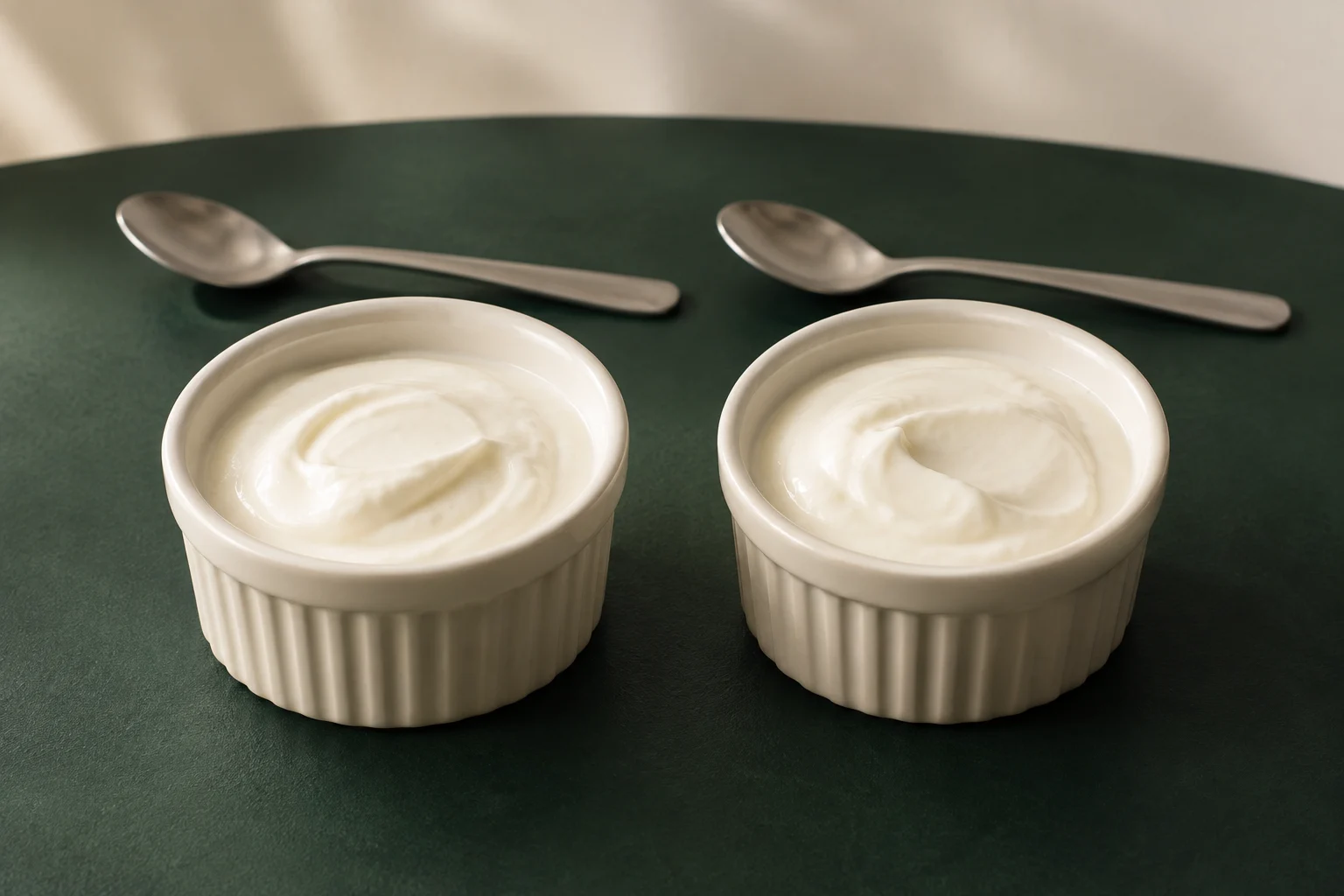
Yoghurt and crème fraîche can look alike without a label. A purée can hide which ingredient it was made from. These examples illustrate a visual limitation; they are not reported Smaklig test results.
Identifying the category “soup” is also a different task from identifying everything in the soup. Ask whether the suggestion is specific enough for what you want to do. If you need a particular packaged product, its readable barcode is more direct evidence than a photo of its contents.
How can I check results in fridge mode and meal mode?#
In fridge mode, you can review and correct the ingredient list and confirm uncertain findings. In meal mode, you can only change portion weights for existing components; you cannot rename, add or remove components. Meal mode displays no uncertainty markers. The app displays no confidence or accuracy score.
Fridge: check the identity itself#
The fridge workflow highlights up to three uncertain findings among meat, fish and dairy products for confirmation. You can also review and edit the whole list and add missing items. The absence of a question about a particular ingredient does not prove that ingredient was correctly identified.
If a pot is suggested as yoghurt but contains crème fraîche, you can correct the ingredient before continuing. Dinner suggestions then use the corrected list. The practical walkthrough is in photograph your fridge for dinner ideas.
Meal: changing a portion does not fix a wrong name#
With a meal photo, you can read the suggestion and adjust portion weights, but cannot edit which components are included. If a component has the wrong identity, changing its gram weight does not make the identification correct. First decide whether the components match the food, then consider their portions.
If the breakdown is not useful, you can choose not to save it. The absence of uncertainty markers in this mode does not mean the model is certain; those markers are simply not displayed here.
How to make food clearer in photos and review the result#
- Take a clear photo. Use even lighting. Show the plate from above or the fridge shelf from an angle that reveals its contents. More angles can supplement the fridge photo.
- Use the controls available in your mode. Correct the ingredient list and confirm uncertain findings in fridge mode. With a meal photo, you can only adjust portions and no uncertainty markers are shown. The app displays no confidence score.
- Choose a barcode for a packaged product. To identify the package, scan its readable EAN barcode and compare the catalogue match with the product. The code may also be absent from Coop's catalogue.
Which guide fits a fridge, a plate or a package?#
Choose the fridge guide for ingredient inventory and dinner ideas, the barcode guide for a packaged product, and the meal photo guide for a plate you want to review before logging. The guides describe separate workflows with different ways to correct the result.
- Ingredients at home: Photograph your fridge for dinner ideas shows how to confirm and correct the list before it is used for recipes.
- The package in front of you: Scan barcodes and log food covers EAN lookups, catalogue matches and what happens when a product is missing.
- The finished plate: Count calories from photos — method and uncertainty covers portions, calorie accuracy and logging. That detail belongs in the separate guide, rather than the recognition explanation.
Where does the Swedish Food Agency fit in?#
The Swedish Food Agency's database is a subsequent data source for meal photos. Only approved component matches are grounded in Swedish Food Agency data; unmatched components and rejected matches retain Gemini's estimate. This is not a general verification step proving that the food in the image was identified correctly.
The Swedish Food Composition Database provides food information. It does not see your plate. Keep the image's suggested identity separate from the data source used afterwards. The meal photo guide explains what this means for nutrition information. More basic terms are explained in Smaklig's glossary.
What happens to images in the different features?#
Barcode scanning takes or uploads no image; the scanned code is sent for product lookup. A meal photo is sent to Google Gemini for analysis. Smaklig currently stores no server-side copy of the meal image, but a local copy may remain on your phone after logging for the food log's image history.
This means “no server-side image copy” does not mean “the image never leaves your phone”. Sending an image for analysis and storing it are different actions. Saving a meal image to your gallery is another, separate choice you make yourself.
Fridge mode also uses photos for AI analysis with Google Gemini. However, the description of local image history after meal logging should not be applied to fridge mode. Read the fridge guide's image handling information, the barcode guide's privacy section and the meal photo guide's image handling information for each feature.
Check the frame before analysis: the food area is enough, and private details in the background do not need to be included. Full information about personal data processing is available in Smaklig's privacy policy.
Sources
- Reviews in Endocrine and Metabolic Disorders (2023). Deep neural network for food image classification and nutrient identification: A systematic review
- Swedish Food Agency. Swedish Food Composition Database — search nutrition information
- GS1 Sweden. EAN-13 and EAN-8
- Google AI for Developers. Image understanding — Gemini API
Frequently asked questions
How does AI recognize food in a photo?
Smaklig uses Google Gemini to interpret visible ingredients and dishes. Image analysis suggests identities based on what is visible, but the result is a probabilistic assessment. Lighting, angle, hidden items and similar products affect it. There is no published recognition accuracy figure specific to Smaklig.
What is the difference between a barcode and a photo?
A barcode uses a deterministic lookup from EAN to Coop's product catalogue: an exact product match or not found, without AI recognition. Google Gemini analyzes photos and returns a suggestion that can be wrong. A catalogue match still needs to be compared with the packaging.
What affects how well AI identifies food?
Even lighting, a clear angle and visible details provide better input than darkness or hidden items. Common ingredients are easier than unusual or mixed dishes, but this is a qualitative description, not a measured result for Smaklig. In fridge mode, additional angles can reveal missing items and you can correct the list.
Does the app show how confident the AI is?
No confidence or accuracy score is displayed. In fridge mode, you can correct the ingredient list and confirm uncertain findings. Meal mode has no uncertainty markers and only lets you change portion weights, not names or which components are included. Changing a portion does not correct a mistaken identity.
Does Smaklig use Swedish Food Agency data?
Yes. For meal photos, nutrition information is grounded in Swedish Food Agency data only when a component match is approved. Unmatched components and rejected matches retain Google Gemini's estimate. This database step does not prove the food was correctly identified. Calorie and nutrition accuracy are covered in the separate guide to counting calories from photos.
What happens to the image?
Barcode scanning takes or uploads no image; the scanned code is sent for lookup. Meal photos are sent to Google Gemini for analysis. Smaklig currently stores no server-side image copy, but a local copy may remain on your phone after logging. Saving to your gallery is a separate choice. Read the feature guides and privacy policy.
Want more meal planning tips?
More guides on food, health and saving money — and a sous-chef that plans your week for you.
Get started
Founder, Smaklig
Writer at Smaklig. We write about food, health, and how to eat better without breaking the bank.
Related articles
October 22, 2026 · 15 min
Calorie Chart for Foods: Calories in Eggs, Bread and More
Calorie chart with kcal per 100 g and per portion for 59 common foods, from eggs and pizza to rice, cheese and beer. All values from the Swedish Food Agency.
Read moreOctober 22, 2026 · 14 min
Gluten-Free Meal Plan: 7 Easy Dinners and a Shopping List
Gluten free meal plan with 7 weeknight dinners and a shopping list. What is naturally gluten free, where gluten hides and what the gluten-free label means.
Read moreOctober 22, 2026 · 15 min
Intermittent Fasting for Women: What the Research Shows
In trials, intermittent fasting gives similar weight loss to an ordinary calorie deficit. On 16:8, menopause, PCOS, pregnancy and who should avoid fasting.
Read moreReady to plan smarter?
Smaklig creates your weekly menu with AI based on store campaigns. Tailored to your goals and allergies.
Get started free